
हिन्दी · Text, voice and object scanner · Offline
The offline Hindi translator for text and real things.
AI Translate is an offline Hindi translator for typed and pasted text, with voice input and an object scanner that names everyday things in Hindi and English. Download the Hindi pack once and text and object translation keep working on trains and in towns with weak data. In the current version the camera does not read Devanagari.
Free with your language pair · Premium from $1.99/month
Quick facts about the Hindi translator
- Script
- Devanagari
- Camera translation
- Not in the current version (the camera reads Latin-script text). Use text, voice or Scan.
- Works offline
- Yes, after a one-time pack download. Voice input depends on your phone.
- Object scanner
- Yes, names 1,000+ objects in Hindi and English
- Pronunciation
- Audio
- Account required
- No
What you can translate
Where a Hindi translator earns its place on your home screen.
Directions and prices
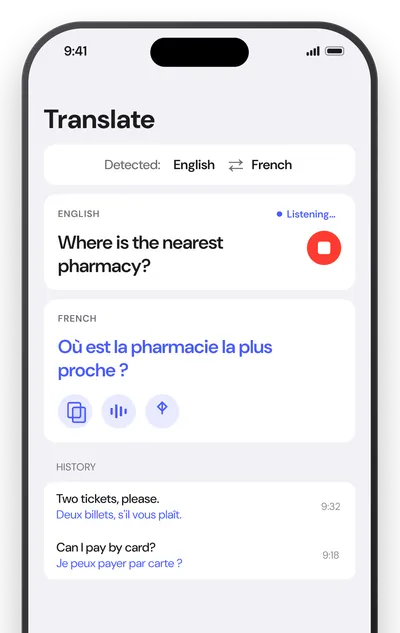
Type or say a question in English, then show the Hindi or play it aloud to a driver, shopkeeper or station worker.
Replies and messages
Tap swap, then let the other person type or speak their reply. You can also paste Hindi from WhatsApp messages or booking emails.
Everyday vocabulary
Point the Scan tab at objects around you to see the Hindi word, hear it spoken, and save it to review later.
Common Hindi phrases
What you will actually see on signs and menus.
A handful of phrases worth knowing before you go. The romanized reading in italics shows how to say each one.
| Hindi | English | Seen on |
|---|---|---|
| निकासnikās | Exit | sign |
| शाकाहारीshākāhārī | Vegetarian | menu |
| प्रवेश निषेधpravesh nishedh | No entry | sign |
| कितने का है?kitne kā hai? | How much is it? | market |
| बिल लाइएbil lāiye | Bring the bill, please | restaurant |
How to
How to translate Hindi text offline
- 01
Download the Hindi pack
Open Settings, then Offline languages, and tap the download icon next to Hindi. It is about 30 MB and only needs to be done once.
- 02
Type, paste or speak
Open the Translate tab and type or paste Hindi text, and the language is detected automatically. To use your voice, tap the microphone and speak in the selected language.
- 03
Listen, copy or scan
Tap the speaker to hear the translation, or copy and share it. On the Scan tab, point at an object to see its name in both languages and save the word.
FAQ
Hindi translator questions.
Does the camera read Devanagari?
Not in the current version. The live camera and photo import read Latin-script text only. Hindi works through typed or pasted text, voice input and the object scanner.
Does the Hindi translator work offline?
Yes. Download the Hindi pack once and typed text translation and the object scanner work without internet. Voice input uses your phone's own speech recognition, so it works offline only where your phone supports offline dictation.
Does it show Hindi pronunciation in Latin letters?
No. Hindi words come with audio only, so tap the speaker to hear them in your phone's voice. The phrase table on this page includes romanized readings.
Guides
Related translators
Keep a Hindi translator in your pocket.
Download the Hindi pack once to translate typed or pasted text and name everyday objects offline. No account, no ad trackers, photos never uploaded.