AI Translate Get the app

Offline photo translator app

The photo translator that works offline.

Point your camera at a menu, a sign, a label or the thing in front of you and the translation appears right on the screen. 59 languages. No internet, no account, nothing uploaded.

Free to start · Premium from $1.99/month · No sign-up

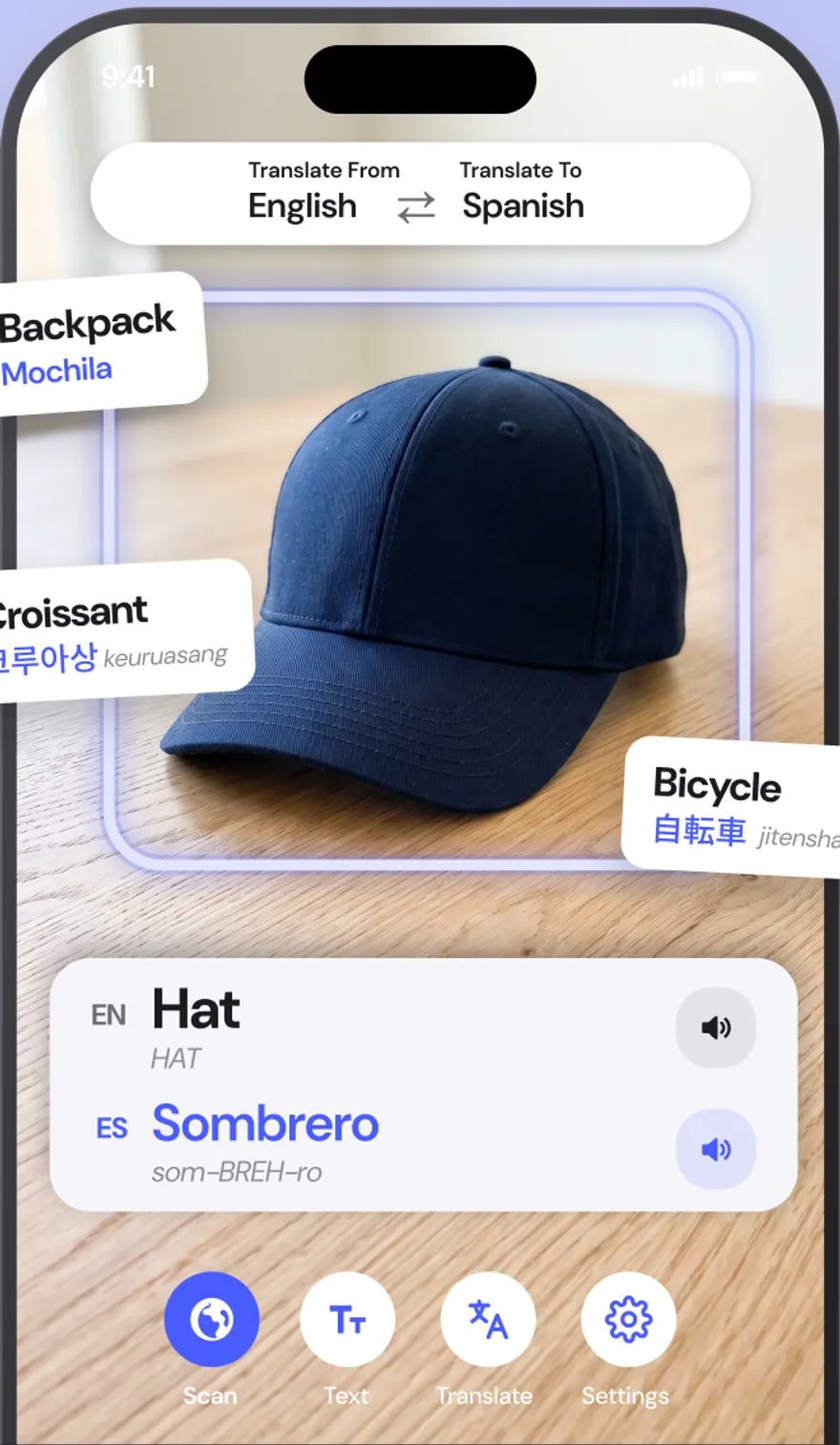
AI Translate app scanning a hat and showing Hat in English and Sombrero in Spanish with pronunciation

59

languages, downloadable

100%

offline once a pack is installed

1,000+

everyday objects recognized

0

accounts, uploads or trackers

The problem

The moment you need a translator is the moment you have no internet.

Translation apps assume a fast connection, a keyboard you can type the language on, and that you are fine uploading whatever you photograph. Travel breaks all three.

Roaming is off. The Wi-Fi needs a login.

Online translators stop working exactly where you need them: on the train, in the basement restaurant, at the border.

You cannot type 唐揚げ.

Kanji, Hangul, Devanagari. If you cannot type the script, a text translator is useless. You need to point at it.

Your photos should stay yours.

Most camera translators upload every frame to a server. Menus are fine. Passports, prescriptions and contracts are not.

AI Translate runs the entire translation on your phone.

Text recognition, object detection and the translation model itself are downloaded once and run on the device. So it works on the plane, it reads scripts you cannot type, and your photos never leave your hand.

Everything the app does

One app for signs, menus, objects and conversations.

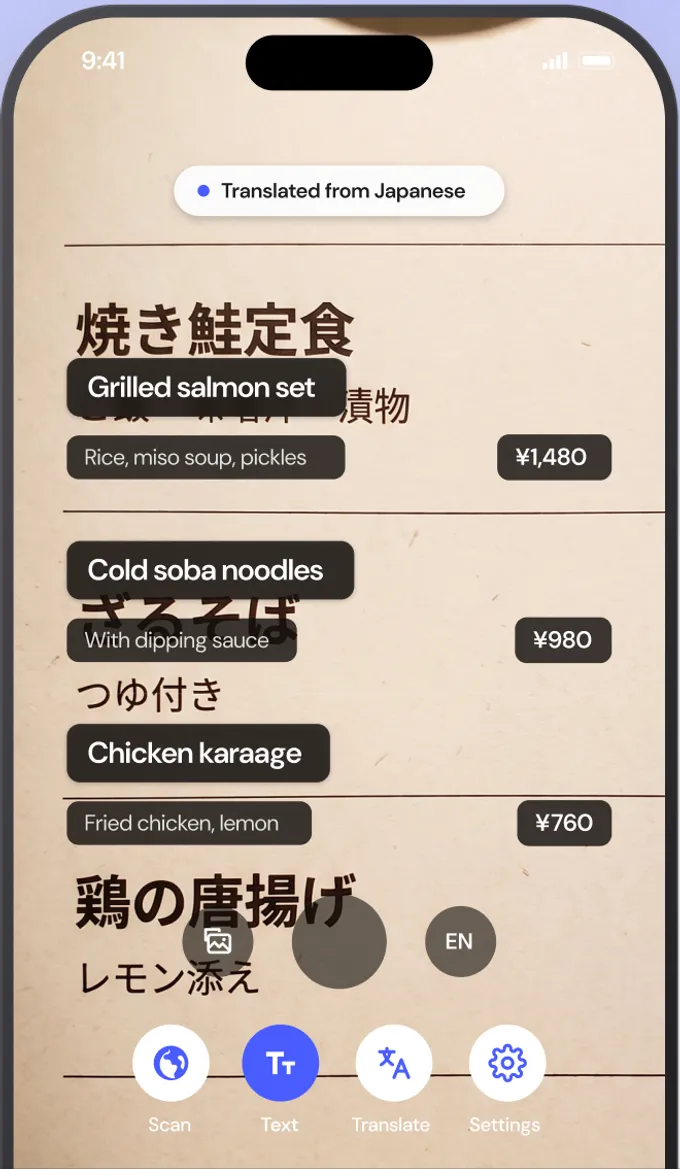
Camera text translation

Read any sign or menu, in place.

Point the camera at printed text and the translation appears over the original, aligned to each line. Tap Freeze to hold the frame and read at your own pace, or import a photo or screenshot from your library.

  • Live overlay that follows the text on screen
  • Freeze frame for dense menus and documents
  • Photo and screenshot import
  • Reads Latin, Chinese, Japanese, Korean, Devanagari scripts
AI Translate camera translating a Japanese menu into English with the translation overlaid on each line

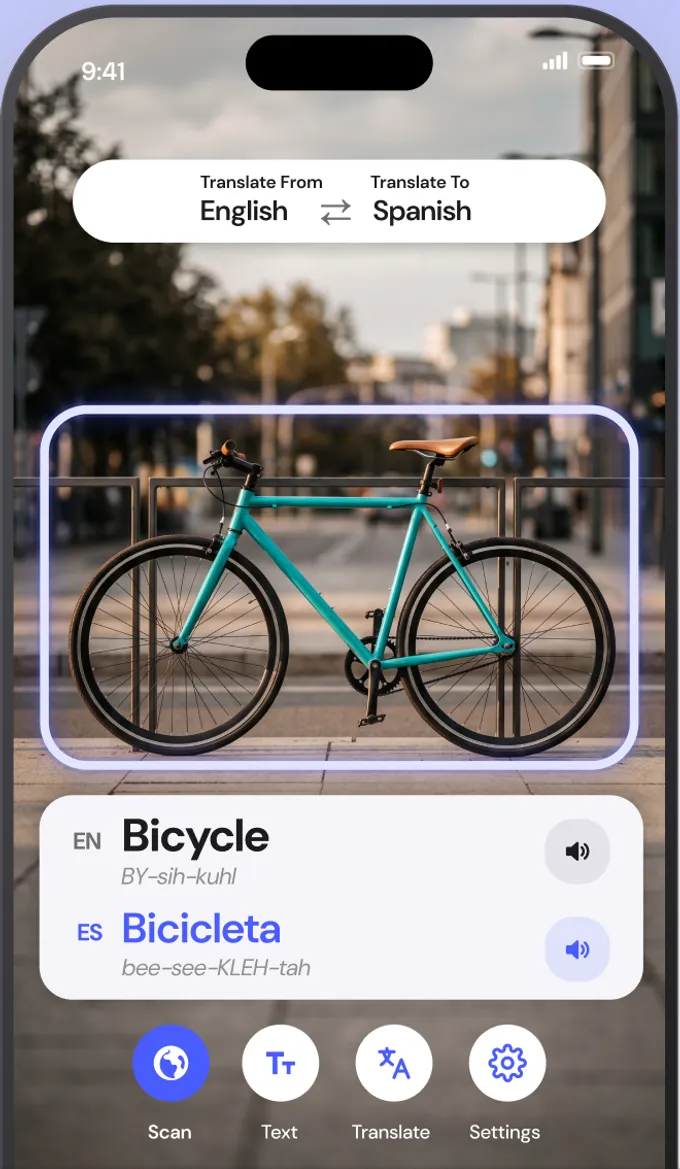
Object scanner

Point. Know. Say it.

Not everything has a label. Point the scanner at a bicycle, a coffee cup or a croissant and see its name in both languages with pronunciation you can tap to hear. It recognizes over a thousand everyday things.

  • Both languages with phonetic spelling
  • Tap the speaker to hear either one
  • Save words to review later
  • Works offline like everything else
AI Translate object scanner identifying a bicycle and showing the English and Spanish names with pronunciation

Text and voice

Type it, paste it, or just say it.

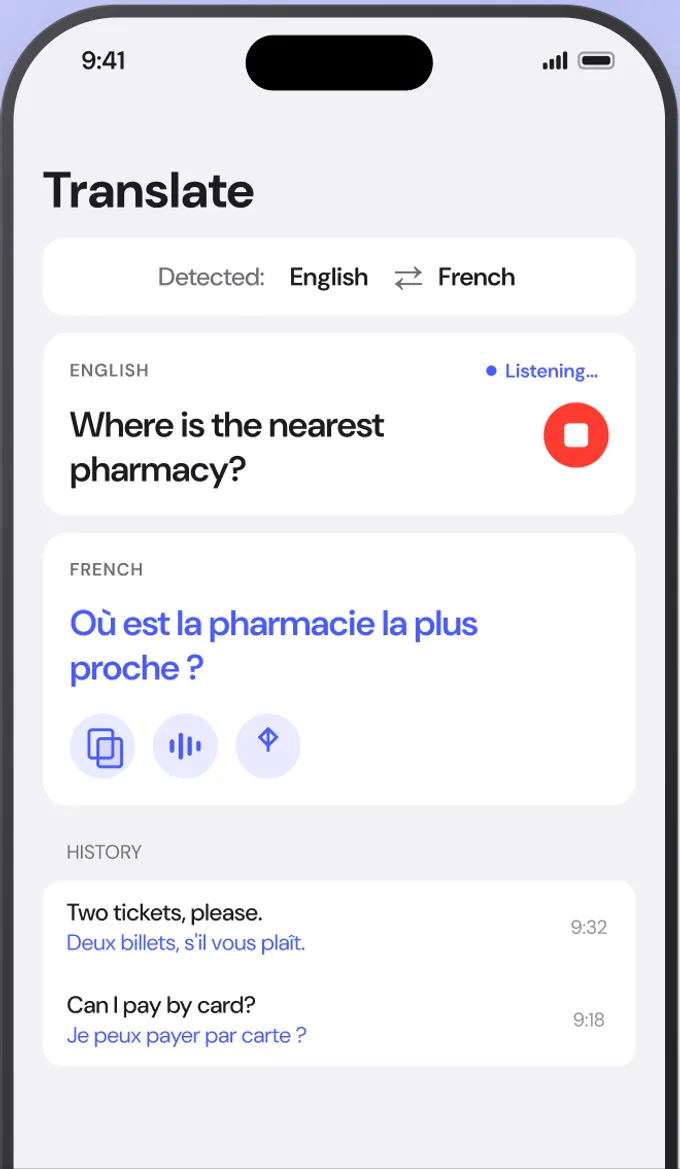
For conversations and messages, use the Translate tab. Speak or type, the language is detected automatically, and the translation can be spoken aloud, copied or shared. Your history stays on the phone.

  • Automatic language detection
  • Voice input and spoken output
  • Copy, share and history
  • Two-way conversation on one screen
AI Translate text screen translating a spoken English question into French

59 offline languages

Download once. Translate anywhere.

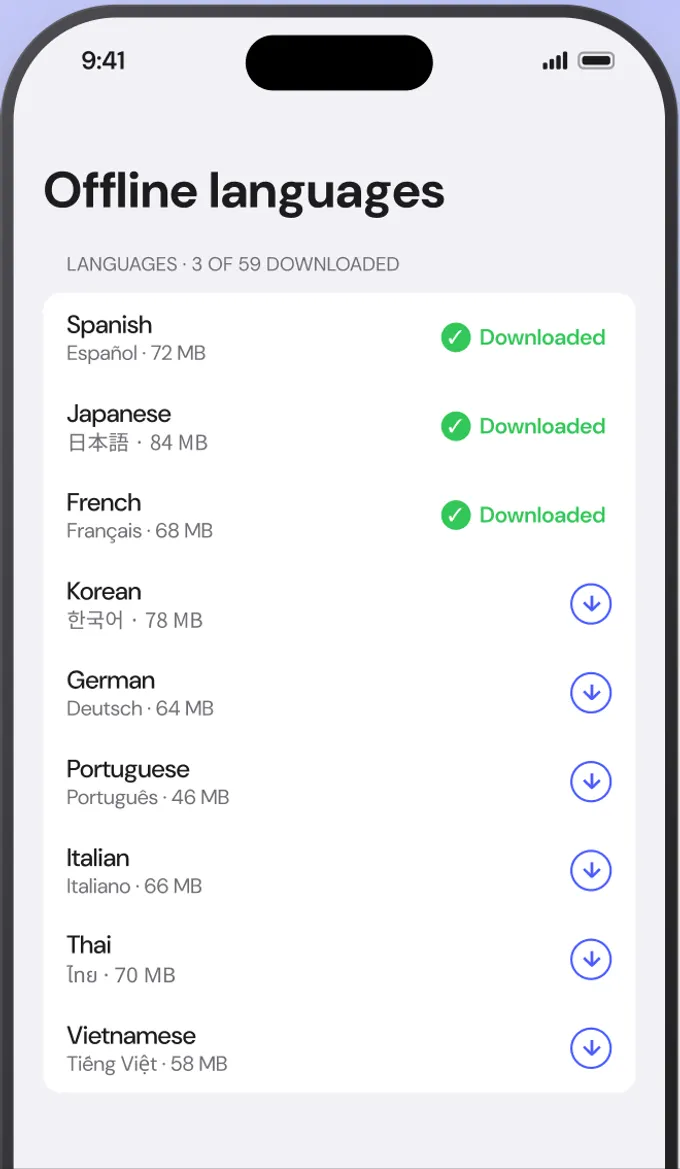
Each language pack is roughly 30 MB. Download the ones you need on hotel Wi-Fi and every mode keeps working on the plane, in the metro and in the countryside. A Wi-Fi-only toggle keeps downloads off your data plan.

  • Small packs, quick to add or remove
  • Wi-Fi-only download toggle
  • Free plan includes your language pair
  • Premium unlocks all 59
AI Translate offline languages screen listing downloaded language packs

Pronunciation and saved words

Hear it. Save it. Own it.

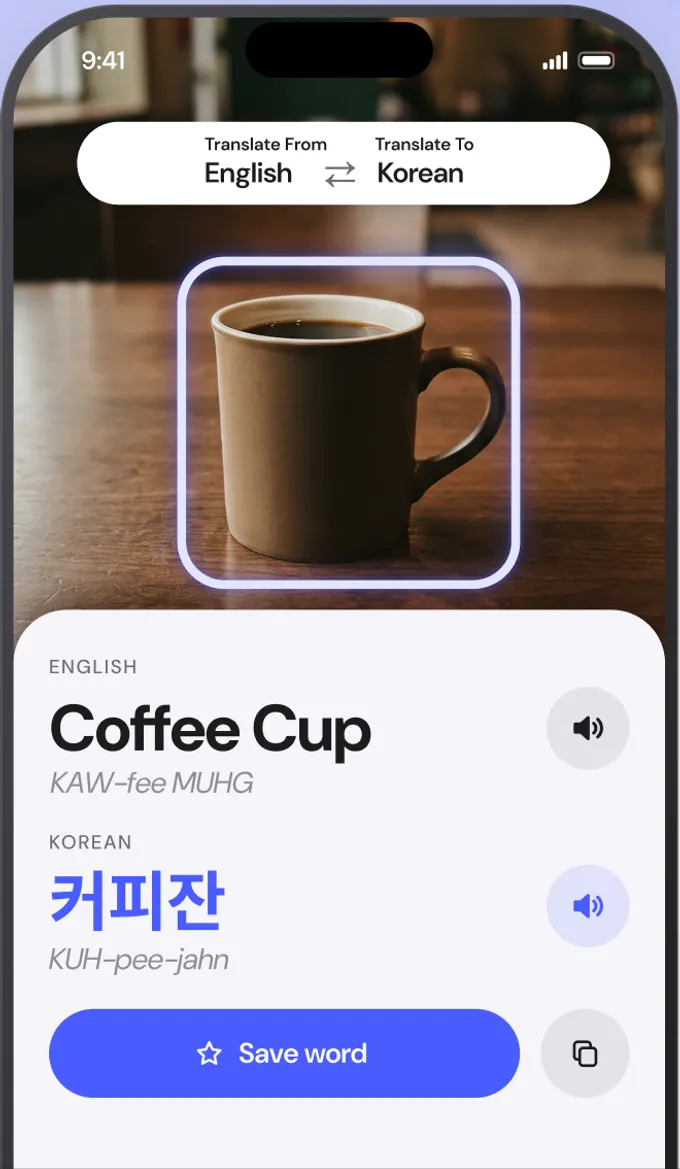
Every word card shows the word in both languages with a phonetic guide, so 커피잔 becomes KUH-pee-jahn and Sombrero becomes som-BREH-ro. Save the ones you want to keep and build a vocabulary from the world around you.

  • Phonetic spelling for both languages
  • Romaji, pinyin and romanization where relevant
  • One-tap save and copy
  • Review saved words any time
AI Translate word card showing Coffee Cup in English and Korean with pronunciation guides

Private by design

Nothing leaves your phone.

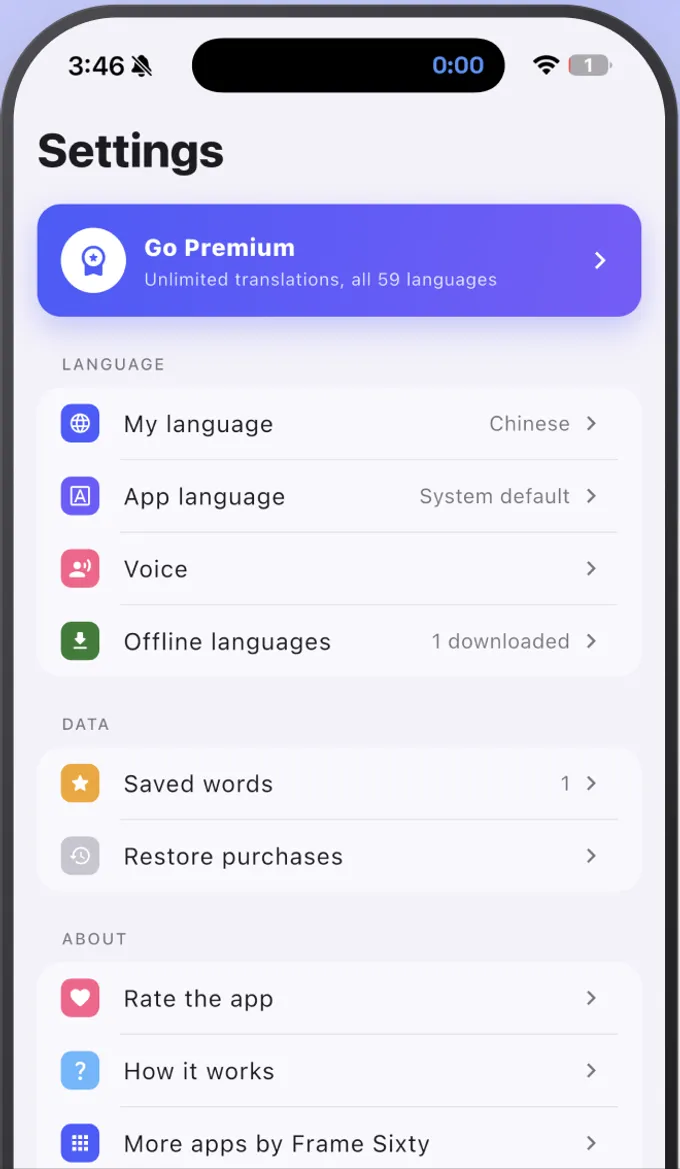
Text recognition, object detection and translation all run on the device. There is no account to create, no photo is uploaded, and it works with airplane mode on. Premium is handled by Apple or Google, not by us.

  • No account, ever
  • Camera frames never leave the device
  • Works in airplane mode
  • Purchases through the App Store and Google Play
AI Translate settings screen with offline languages and saved words

How it works

Three steps. About a second per translation.

  1. 01

    Download a language

    Open Offline languages and tap the download icon next to the language you need. Packs are about 30 MB, so it takes a few seconds on Wi-Fi.

  2. 02

    Point the camera

    Open the Text tab and aim at the sign, menu or label. The translation appears over the original text. Tap Freeze to hold the frame.

  3. 03

    Tap what you want to know more about

    Switch to Scan to name objects, or Translate to type or speak. Tap any word to hear it and save it for later.

59 languages

Pick your language. Download it once.

The live camera reads Latin, Chinese, Japanese, Korean, Devanagari scripts. Every language below also works through text, voice and the object scanner.

See all 59 languages
  • Afrikaans
  • Albanian
  • Arabic
  • Belarusian
  • Bengali
  • Bulgarian
  • Catalan
  • Chinese
  • Croatian
  • Czech
  • Danish
  • Dutch
  • English
  • Esperanto
  • Estonian
  • Finnish
  • French
  • Galician
  • Georgian
  • German
  • Greek
  • Gujarati
  • Haitian Creole
  • Hebrew
  • Hindi
  • Hungarian
  • Icelandic
  • Indonesian
  • Irish
  • Italian
  • Japanese
  • Kannada
  • Korean
  • Latvian
  • Lithuanian
  • Macedonian
  • Malay
  • Maltese
  • Marathi
  • Norwegian
  • Persian
  • Polish
  • Portuguese
  • Romanian
  • Russian
  • Slovak
  • Slovenian
  • Spanish
  • Swahili
  • Swedish
  • Tagalog
  • Tamil
  • Telugu
  • Thai
  • Turkish
  • Ukrainian
  • Urdu
  • Vietnamese
  • Welsh

Pricing

Free to start. Premium when you travel.

Free

$0

  • ✓ Camera, photo, text, voice and object translation
  • ✓ Your chosen language pair, offline
  • ✓ 15 translations a day
  • ✓ No account, no ads that follow you around
Most popular

Premium

from $1.99/month

  • ✓ Unlimited translations
  • ✓ All 59 offline languages
  • ✓ Unlimited saved words
  • ✓ Yearly and lifetime plans available in the app

Billed through the App Store or Google Play. Cancel any time in your subscriptions settings.

FAQ

Questions people ask before they download.

Straight answers about offline use, accuracy, privacy and pricing.

What is a photo translator?

A photo translator is an app that reads text inside a photo or live camera view, recognizes the characters, and shows a translation. AI Translate does this on the phone itself, so it works without internet and never uploads your photos.

Does AI Translate work without internet?

Yes. Once you download a language pack, camera translation, photo translation, text and voice translation and the object scanner all run offline. Airplane mode is fine.

Which languages can the camera read?

The live camera reads Latin, Chinese, Japanese, Korean, Devanagari scripts today. That covers Spanish, French, German, Italian, Portuguese, Vietnamese and most European languages, plus Chinese, Japanese, Korean and Hindi. Other scripts such as Thai, Arabic and Cyrillic work through text and voice translation and the object scanner, with camera support in development.

Can I translate a photo or screenshot I already have?

Yes. On the camera screen, tap the photo import button and choose any image from your library. The text is translated in place, the same as the live camera.

How accurate is the translation?

For printed signs, menus, labels and documents, on-device recognition and translation are accurate enough to order, navigate and read instructions confidently. Very stylized fonts, cursive handwriting and idioms are harder, so a frozen frame and a literal reading of the description line usually help.

Does the app upload my photos or camera frames?

No. Text recognition, object detection and translation happen on the device. Nothing is sent to a server, and there is no account.

What does the object scanner do?

It recognizes over a thousand everyday objects, such as food, transport, clothing and household items, and shows the name in both languages with a phonetic guide and audio. It is built for learning words, not just reading them.

Is AI Translate free?

Yes. The free plan includes your chosen language pair and 15 translations a day across every feature. Premium removes the limit and unlocks all 59 languages, starting at $1.99 a month, with yearly and lifetime options in the app.

Which devices does it support?

AI Translate runs on iPhone and iPad from the App Store and on Android phones and tablets from Google Play. Language packs download on either platform.

How is this different from Google Translate or Apple Translate?

AI Translate is built offline-first: every feature runs on the phone, there is no account, and camera frames are never uploaded. It also adds an object scanner with pronunciation for both languages, which is designed for learning the words around you, not only reading text.

Read the world in your language.

Free to start. Download a language once and translate signs, menus, labels and objects without ever going online.