
No internet required
An offline translator that does everything offline.
AI Translate downloads the translation model, the text recognizer and the object detector to your phone. Camera, photo, text, voice and object translation all work with no connection, in 59 languages, with no account.
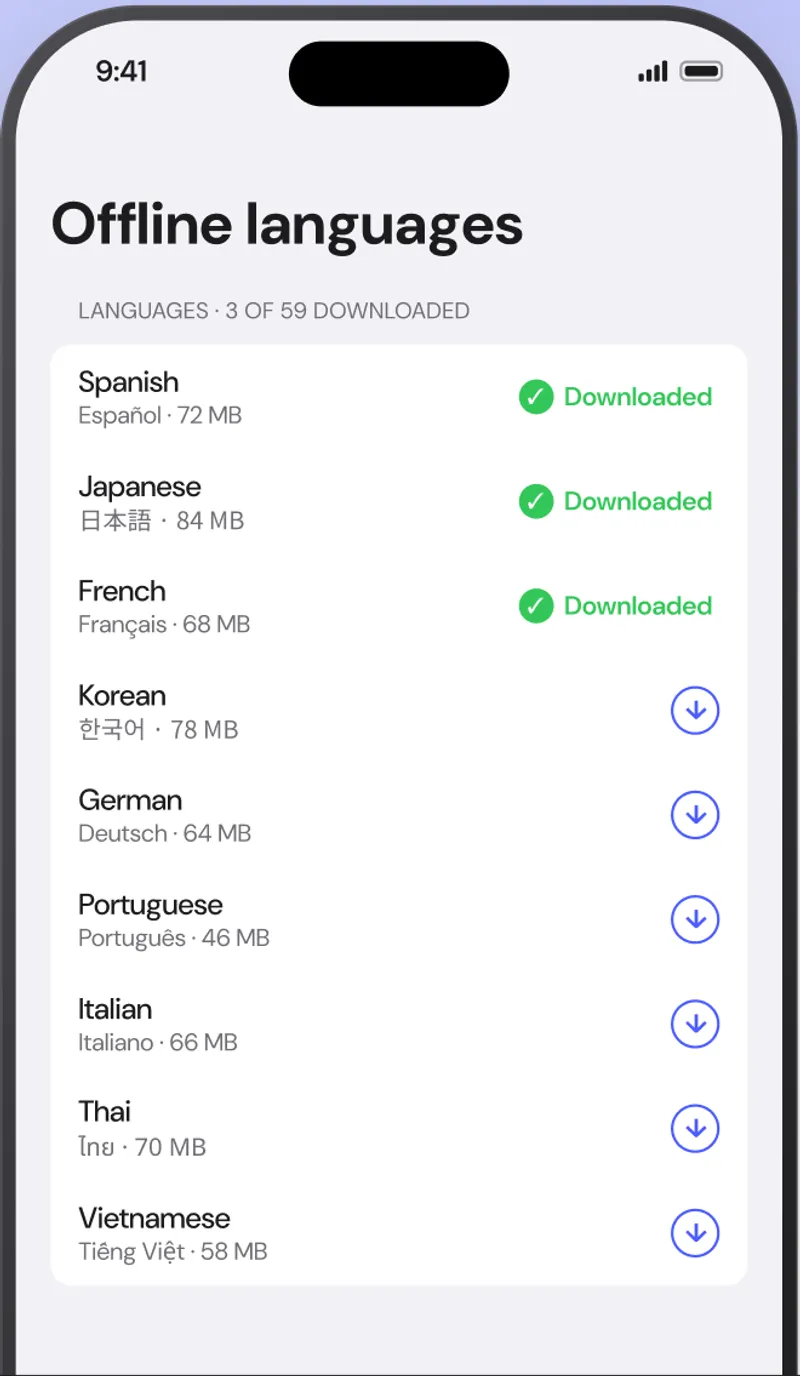
What works without a connection
Every feature, not just the text box.
| Feature | Offline? | Notes |
|---|---|---|
| Live camera text translation | Yes | Reads Latin, Chinese, Japanese, Korean, Devanagari scripts |
| Translate a photo or screenshot | Yes | Import from your library |
| Type or paste text | Yes | Automatic language detection |
| Voice input | Yes, for languages your phone can dictate offline | Uses the on-device speech recognizer |
| Spoken pronunciation | Yes | Uses the voices installed on your phone |
| Object scanner | Yes | 1,000+ objects, both languages |
| Saved words and history | Yes | Stored on the device only |
| Downloading a new language pack | Needs a connection once | About 30 MB per language |
59 downloadable languages
Pick the ones you need. Delete them when you are home.
- Afrikaans
- Albanian
- Arabic
- Belarusian
- Bengali
- Bulgarian
- Catalan
- Chinese
- Croatian
- Czech
- Danish
- Dutch
- English
- Esperanto
- Estonian
- Finnish
- French
- Galician
- Georgian
- German
- Greek
- Gujarati
- Haitian Creole
- Hebrew
- Hindi
- Hungarian
- Icelandic
- Indonesian
- Irish
- Italian
- Japanese
- Kannada
- Korean
- Latvian
- Lithuanian
- Macedonian
- Malay
- Maltese
- Marathi
- Norwegian
- Persian
- Polish
- Portuguese
- Romanian
- Russian
- Slovak
- Slovenian
- Spanish
- Swahili
- Swedish
- Tagalog
- Tamil
- Telugu
- Thai
- Turkish
- Ukrainian
- Urdu
- Vietnamese
- Welsh
FAQ
Offline translation, explained.
Is AI Translate really fully offline?
Yes. After a language pack is downloaded, every feature runs on the phone: camera and photo translation, typed and spoken text, pronunciation and the object scanner. You can switch on airplane mode and keep translating.
How big is a language pack?
About 30 MB per language. Downloading a pack takes a few seconds on Wi-Fi, and you can delete it any time from Offline languages.
Which languages can I download?
All 59, including Spanish, French, German, Italian, Portuguese, Japanese, Chinese, Korean, Hindi, Thai, Vietnamese, Arabic and Russian. The free plan includes your chosen language pair; Premium unlocks the rest.
Does the camera work offline too?
Yes. Text recognition for Latin, Chinese, Japanese, Korean, Devanagari scripts is built into the app, and the translation model is in the downloaded pack, so nothing needs a server.
Will it use my mobile data?
Only if you choose to download a pack over cellular. A Wi-Fi-only toggle in Offline languages keeps downloads off your data plan, and translation itself never uses data.
Why does offline matter if I have roaming?
Roaming is slow and expensive in many countries, underground and rural areas have no signal, and some countries block the translation services you rely on. An offline translator removes all three problems and is also faster, because nothing is uploaded and downloaded per translation.
Download it before you board.
Add your languages on Wi-Fi and the whole app keeps working on the plane, in the metro and everywhere else.